On-device · Private by default

Never take
meeting notes.

Calex listens and turns your conversations into summaries, decisions, and to-dos — hands-free, all on your device.

iPhone · iPad · Mac · Korean & English · No account needed
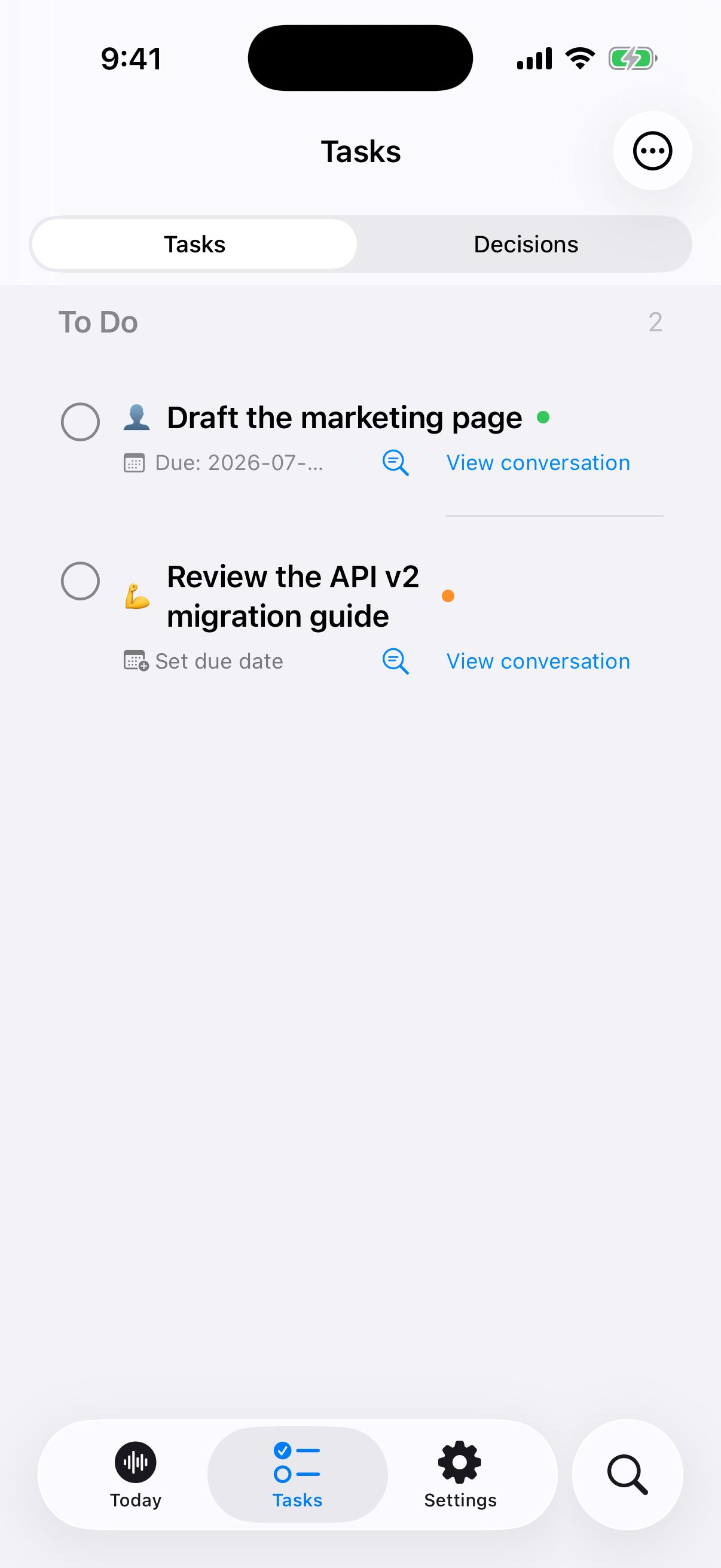
Calex To-dos screen
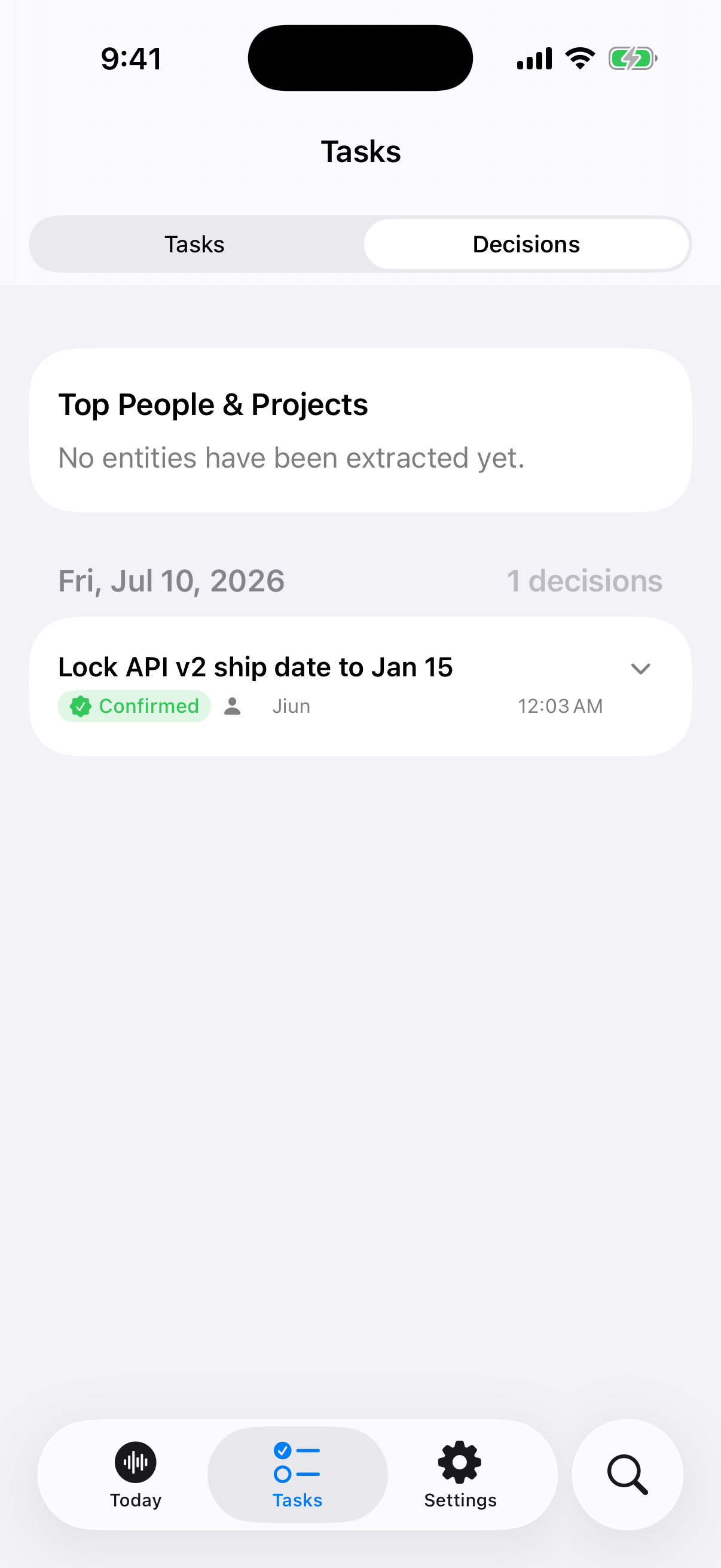
Calex Decisions screen
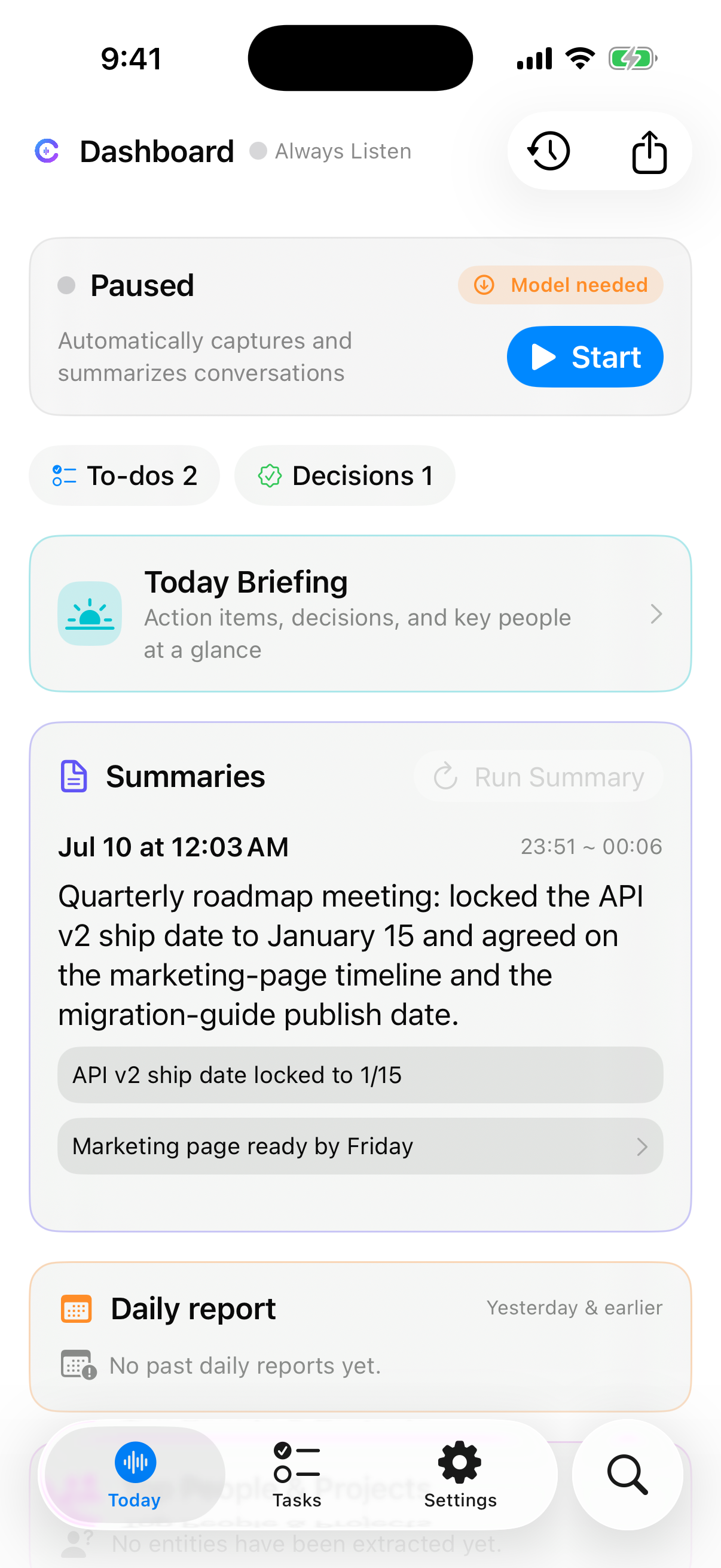
Calex Today screen — listening and the latest summary
How it works

Three steps, then nothing.

No note-taking, no fiddling. Turn it on and focus on the conversation.

1

Turn on listening

Start with a single toggle on Today — or schedule it to listen only during the hours you choose.

2

Just talk

Meetings, calls, everyday conversations. Calex transcribes in real time, right on your device.

3

Get summaries

Minutes after a conversation ends, summaries, decisions, and to-dos appear — ready to act on.

Real screens

It blends into your day.

Captured conversations become summaries, to-dos, and decisions. These are real app screens.

Calex Today screen — listening and the latest summary
TodayListening status and the latest summary
Calex To-dos screen — tasks linked to their source
To-dosTasks linked to their source conversation
Calex Decisions screen — confirmed decisions and owners
DecisionsConfirmed decisions and owners
Also on Mac

Everything at a glance on desktop.

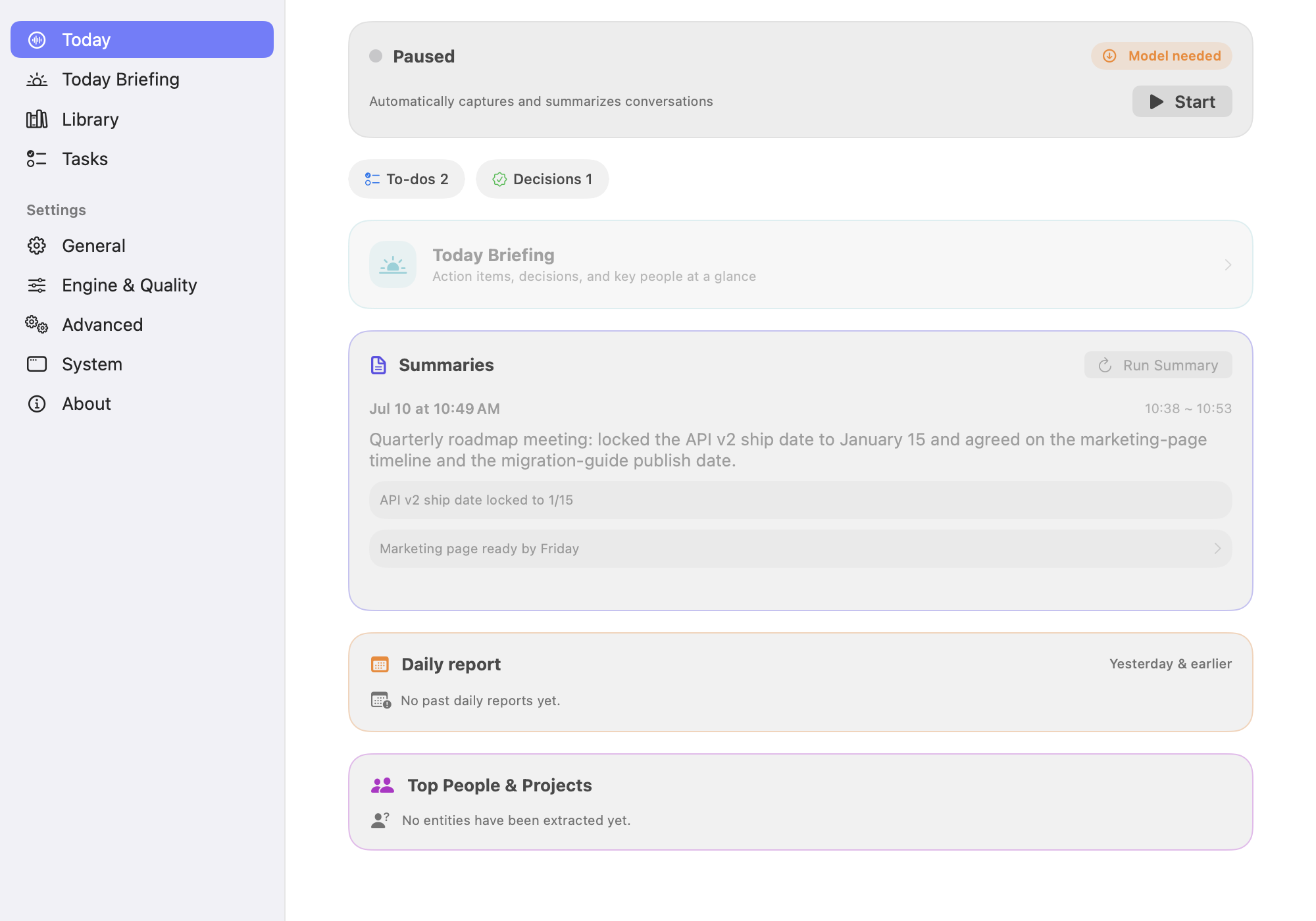
It lives in your menu bar, then opens a window when you need summaries, to-dos, and decisions on a bigger screen.

Calex Dashboard
Calex Dashboard on Mac — summaries, to-dos, and decisions
What you get

Everything from the conversation,
without you writing it down.

🎙️

Always listening

Capture nearby conversations when you need to — toggle from the app or a widget.

AI summaries

Long transcripts become concise briefs with highlights, decisions, and follow-ups.

📅

Daily report

A clean end-of-day recap of the highlights, decisions, and to-dos worth remembering.

Decisions & to-dos

Action items and decisions are extracted automatically, each linked back to the source conversation.

🔒

On-device · Private

Transcription and AI run on your device. No account, no analytics — your data never leaves it.

📲

Widgets & sync

Check recording status and recent summaries from your Home Screen, Lock Screen, and Mac.

Who it's for

So capture never becomes work.

Knowledge worker · PM
BeforeTidy notes by hand after every meeting → missed tasks, duplicate follow-ups.
AfterTranscribed live → only the important action items become to-dos.
Creator · Researcher
BeforeA whole day untangling and summarizing interview recordings; key quotes lost.
AfterConversations break into summaries, quotes, and to-dos — saving edit time.
Field manager
BeforeJot calls on paper on the go, then re-organize back at the office.
AfterCalls captured automatically, so no important follow-up slips.
🔒
Private by design

Your conversations stay on your device.

By default, audio, transcripts, and summaries never leave your iPhone, iPad, or Mac. No Calex account, no server, no tracking. Optional cloud engines run only when you turn them on with your own key.

Read the privacy policy →
FAQ

Good questions.

Are all conversations sent to the cloud?
No. By default, transcripts, summaries, and to-dos are stored locally on your device. Cloud engines are used only when you add your own key and turn them on.
How are sensitive conversations protected?
You can pause listening any time, or use a schedule so it only listens during certain hours. Stored data is protected by your device's disk encryption.
Can the Calex team see my data?
By default no voice or text data is sent to any server, so it can't be accessed. There's no account and no analytics tracking.
Which devices does it work on?
iPhone, iPad, and Mac. It supports Korean and English, with widgets to check recording status and recent summaries quickly.
Does it work without internet?
Yes. Transcription and summarization run on-device, so core features work offline.
Leave the note-taking to the app.

Turn it on and Calex does the rest. Your conversations stay on your device.

Get started →
iPhone · iPad · Mac · on-device